JOBSITE PHOTOS & PROJECT RECORDS
The photo you need should not be buried in someone’s phone.
How construction photo documentation software keeps progress, concealed work, field conditions, and finished projects attached to the right job.Published September 21, 2026 · 11-minute read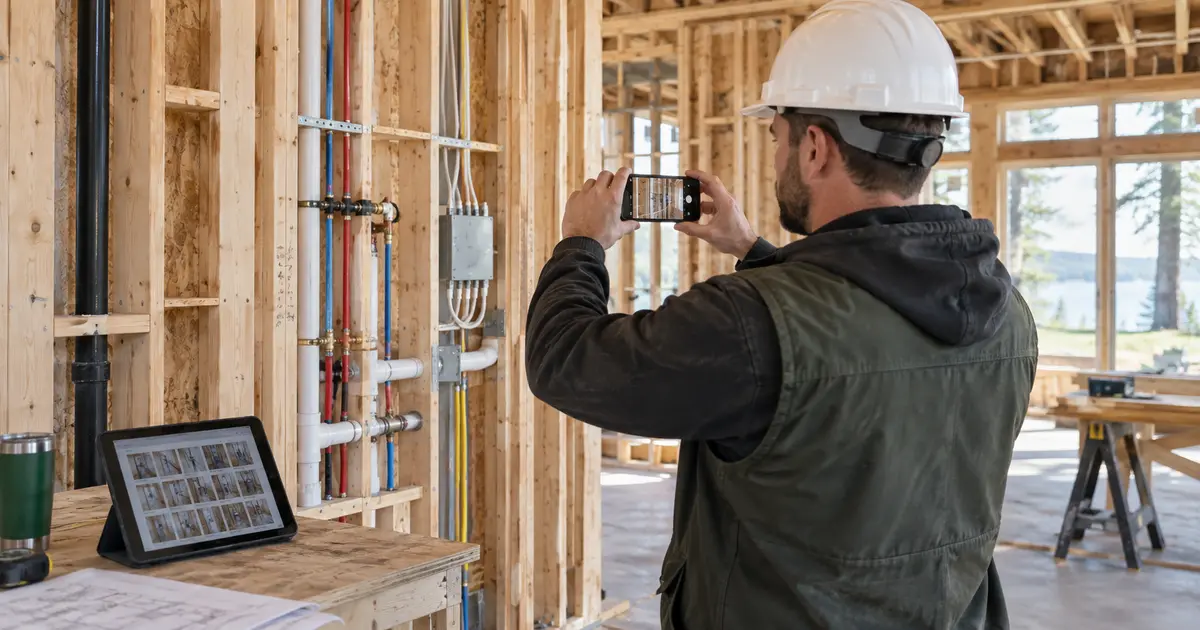
The drywall is up when the homeowner asks where a pipe runs. The electrician remembers taking a photo, but it is mixed into a camera roll with hundreds of personal pictures. The superintendent has a different angle in a text thread. The office has three unlabeled images in an email. Everyone documented the work, yet nobody can find the one photo that would answer the question.
That is the pain behind searches for construction photo documentation software, construction photo management software, and a jobsite photo management app. Taking the picture is easy. Keeping it with the correct project, phase, and purpose is the part that breaks down.
THE SHORT ANSWER
Construction photo documentation software puts jobsite images in a project record instead of leaving them in personal camera rolls, group texts, and scattered inboxes.
BuildVecta gives each job separate collections for internal progress photos and finished work approved for marketing. Those images remain connected to the project, while approved finished photos can support future social posts, landing pages, and ads.
A camera roll is not a construction record
A phone can capture excellent images, but it does not know why the photo matters. It cannot reliably tell the office whether an image shows an existing condition, an inspection correction, a concealed utility, a damaged delivery, a change-order condition, or completed work ready for the portfolio.
The gap becomes obvious weeks or months later. Someone scrolls by date, searches old messages, asks several crew members, or drives back to the project. Even when the right photo appears, the viewer may not know the room, wall, phase, or reason it was taken.
Good photo documentation adds context at the time of capture. The goal is not to take the greatest possible number of pictures. It is to create a useful visual history that another authorized person can understand without relying on the photographer’s memory.
What builders should photograph—and why
| Photo set | What to capture | What it helps explain later |
|---|---|---|
| Existing conditions | Adjacent finishes, access, landscaping, and areas near the work | What was present before construction or remodeling began |
| Deliveries and materials | Quantity, condition, labels, shortages, and visible damage | What arrived and what needed correction or replacement |
| Concealed work | Framing, blocking, waterproofing, utilities, and rough-ins before covering | Where hidden components are and what was completed at that stage |
| Progress and milestones | Consistent wide views plus close details of completed work | How the project changed between scheduled phases |
| Issues and corrections | The overall location, the detail, and the corrected result | What was identified, communicated, and resolved |
| Punch and closeout | Open items, completed corrections, final rooms, and exterior views | What remained at walkthrough and what was finished |
| Approved marketing | Clean finished work without private information or unauthorized people | What the company may use to show future customers its work |
Use judgment: A photo is part of a business record. Follow the contract, company procedures, customer permissions, insurer guidance, and applicable privacy or documentation requirements. Avoid showing access codes, personal papers, visible addresses, license plates, or people without permission.
How to organize construction photos so your team can find them
Start with the job, not the device. Every image should land in the project it documents. From there, use a small, consistent set of categories that reflect how your company actually works: existing conditions, progress, inspections, deliveries, changes, issues, punch work, closeout, and approved marketing.
When the image will not explain itself, add context. A useful note can identify the room, elevation, grid line, scheduled activity, issue, or decision. For hidden work, take one wider photo that shows location and one closer image that shows detail. Consistent angles at major milestones also make progress easier to understand than a collection of unrelated close-ups.
The process should be simple enough to use from the field. If it requires someone to rename and sort every picture at the end of a twelve-hour day, the archive will become incomplete. The best workflow asks for only the context that will make the photo useful later.
How BuildVecta keeps jobsite photos connected
Work inside the current job
Upload photos while the correct custom home or remodeling project is selected, so images do not begin as loose files.
Keep progress and marketing distinct
Internal before, during, delivery, inspection, and field-condition photos stay apart from finished images approved for public use.
Add several photos from the field
Builders can select multiple images from a phone, tablet, or computer and save them with the job record.
Use photos with the job history
Progress photos support daily logs, field documentation, closeout, and the communication history around the project.
Confirm marketing permission
Finished-work images require confirmation that the company may use them and that private information is not visible.
Give completed work a second purpose
Approved photos are prioritized when BuildVecta prepares future social content, landing-page graphics, and Meta ads.
Connect photos to the decision, not just the folder
A photograph becomes more useful when it sits beside the information it supports. A rough-in image can accompany a daily log. A damaged delivery photo can stay with the supplier communication. A field condition can support an issue, an RFI, or a documented change. A corrected punch item can remain with closeout.
That connection reduces the need to explain the same situation in several systems. BuildVecta keeps calls, texts, and emails organized with the customer and job, while the related project files remain available to the team. If the photo reveals work outside the original scope, use a formal, documented process like the one explained in our guide to construction change orders.
Photos are supporting information, not a substitute for required inspections, professional reports, signed approvals, or contract documents. They work best as one part of a complete project record.
Turn completed work into credible builder marketing
Builders often finish a beautiful project and then realize the best images are scattered across several phones. The marketing folder receives only a few compressed screenshots, and the company reaches for generic stock photography even though it has real work worth showing.
BuildVecta creates a deliberate handoff. Internal progress photos remain private. Finished images enter the marketing collection only after the contractor confirms permission and checks for private information. Those approved job photos can then help the company’s future content look like its actual homes and remodels.
That does not mean every finished photo should become an ad. Choose images that match the service being promoted, clearly show the work, and support the message to the homeowner. BuildVecta’s Content Engine uses company information, service area, priorities, and approved project photos to prepare more relevant marketing. See the broader approach in our guide to builder marketing without working after work.
A practical jobsite photo routine
- Confirm the correct job before taking or uploading photos.
- Capture existing conditions before work begins.
- Photograph concealed work before insulation, drywall, or finishes cover it.
- Use one wide location view and closer detail views when context matters.
- Document deliveries, shortages, damage, delays, and field conditions promptly.
- Connect important images to the daily log, issue, change, inspection, or closeout item they support.
- Keep internal documentation separate from images approved for public marketing.
- Check each marketing image for permission and private information.
- Review the project photo record before closeout while missing context can still be added.
If messages and files are also scattered, read how to keep customer texts, emails, selections, and job updates in one place.
COMMON QUESTIONS
Construction photo documentation software FAQ
What is construction photo documentation software?
Construction photo documentation software gives builders a job-based place to save, organize, and retrieve before, progress, inspection, delivery, field-condition, and finished-work photos. The useful difference from a phone camera roll is that the images remain attached to the correct project and business record.
What photos should a general contractor take on a jobsite?
Useful photo sets commonly include existing conditions, protected areas, deliveries, concealed work before it is covered, milestone progress, inspection-related conditions, changes, damage or shortages, punch items, corrections, and completed work. Builders should follow their contracts, company procedures, insurer guidance, and applicable privacy or documentation requirements.
How should contractors organize construction photos?
Start with the project, then use consistent categories such as existing conditions, progress, inspections, changes, issues, punch work, closeout, and approved marketing. Add a useful file name or note when the image alone will not explain the location, date, or reason it was taken.
Can BuildVecta use completed-job photos for marketing?
Yes. BuildVecta separates internal progress photos from finished-work photos approved for marketing. After the contractor confirms permission and privacy, approved images can be prioritized for future social posts, landing-page graphics, and Meta ads.
How much does BuildVecta cost?
BuildVecta is $297 per month after a three-day free trial. Advertising spend and optional services remain separate.
YOU DO THE PHYSICAL WORK