BuildVecta™

DONE-FOR-YOU GENERAL CONTRACTOR MARKETING

General Contractor marketing that keeps working while you do.

Get the next job, answer the lead and follow up the bid. Winning work while coordinating subcontractors, budgets, schedules, permits, change orders, and customer communication can turn every evening into office time.
  • More qualified opportunities
  • Faster estimates and follow-up
  • One organized record for every build
Try Free for 3 Days$297/month · See pricing
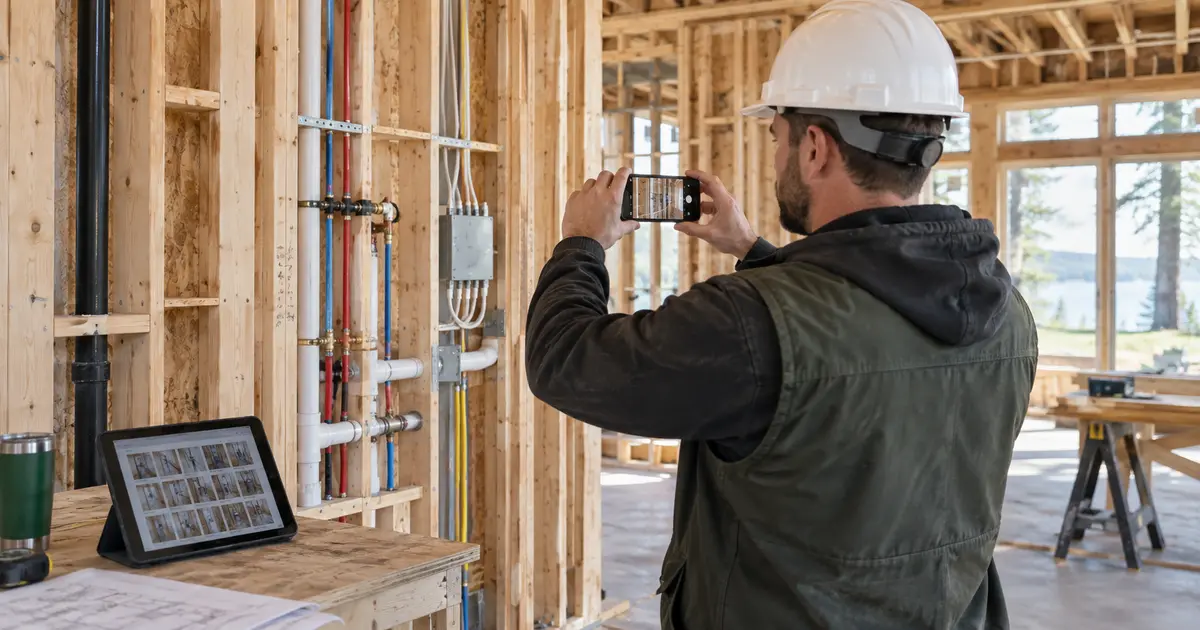
Contractor recording jobsite progress on a phone
Marketing, follow-up and job organization—connected to your work.

SEE THE ACTUAL SOFTWARE

Less reading. See BuildVecta work.

Explore the tools behind your general contractor workflow.

See the marketing dashboard, connected channels and lead workflow. Recorded BuildVecta walkthroughs show example jobs; your setup is tailored to your company type.

GET MORE OF THE WORK YOU WANT

Lead generation for general contractors.

Promote completed projects and clear project planning in your service area. BuildVecta creates and posts your social content, captures inquiries on your landing page and connects configured call answering and email follow-up.
GET THE INQUIRY

Need more space without leaving the neighborhood? Plan your addition with a local general contractor.

Your company name, work photos and service area guide the campaign. Ask about addition type, address, plans, target timing, and budget range so your team can assess fit before an appointment.

KEEP THE OPPORTUNITY MOVING

From the first call to an approved bid.

Configured software phone answering can capture details while you work. Offer a project consultation, review and send your estimate, then let email follow-up continue until the customer decides.

Social posting and email follow-up require configured accounts and settings. Paid ad spend is additional; results and signed jobs are not guaranteed. You approve the final bid.

Explore contractor marketing and lead generation

YOUR COMPANY TYPE IN PRACTICE

Example: Home addition.

A sample workflow, tailored to your company during setup.
01 / GET FOUND

Need more space without leaving the neighborhood? Plan your addition with a local general contractor.

Your company name, work photos and service area.

02 / CAPTURE THE INQUIRY

Tell us what you want to add. We'll talk through the space, timing, and next steps for a site visit.

Collect addition type, address, plans, target timing, and budget range. Offer available project consultation times through your connected calendar.

03 / REVIEW AND SEND THE BID

Price the right scope.

Prepare an editable preliminary bid around site conditions, drawings, subcontractor scopes, allowances, and schedule. Review the numbers before sending.

04 / KEEP THE JOB CONNECTED

From acceptance to referral.

Keep the schedule, budget, files and customer updates together. Finish with a thank-you, review request and referral follow-up.

Illustrative campaign and job, not a customer result. Ads require connected accounts and a separate budget. Final bids require your review.
QUICK ANSWERS

Questions from general contractors.

How can general contractors get more jobs while working on current projects?BuildVecta creates marketing around completed projects and clear project planning and your service area. Social posts and your landing page bring inquiries into one lead pipeline. Configured software call answering can capture the details while you work, and email follow-up keeps leads and approved bids moving toward a customer decision. Optional Google and Meta ads use a separate approved budget; lead volume and jobs are not guaranteed.
How can a general contractor find the right projects?BuildVecta uses your service area, desired project types and completed work to create local content, a landing page and optional Google and Meta campaigns. Inquiries flow into a lead record so you can focus on projects that match your crew and capacity. Ad spend is separate and work is not guaranteed.
Can I build a preliminary budget before all subcontractor quotes arrive?Add plans, site details, area, finish choices and ZIP code to draft an itemized budget. Request trade bids and connect accepted quotes to the relevant line items. Review quantities, allowances and final pricing before giving the customer or lender a number.
What happens when someone inquires about general contractor work?BuildVecta saves the project details in your lead pipeline, can send a configured email response and follow-up, and can offer an available project consultation on your connected calendar. Optional software phone answering can capture calls. Text messaging is not included; customer outreach follows your settings and applicable permissions.
How does BuildVecta help general contractors win the bid?Use the job record to prepare an editable estimate, request pricing where needed, send an approved proposal and follow up by email until the customer responds. You approve the final scope and price and choose when an accepted bid becomes a job.
What happens after general contractor work is awarded?Keep the completed project schedule, tasks, budget, files and customer communication connected to the accepted work. At closeout, BuildVecta can help request a review and arrange a referral gift.
How much does BuildVecta cost for general contractors?The base subscription is $297 per month after a three-day trial. One takeoff is included during the trial; additional takeoffs are $75 each and additional permit packages are $50 each. Ad spend and optional add-ons are separate. Cancel before the trial ends to avoid the subscription charge.

YOUR NEXT STEP

Put BuildVecta to work.

Free setup, live training and support. $297/month after your 3-day trial.
Try Free for 3 Days