PUNCH LISTS & JOB CLOSEOUT
The last five percent of the job should not consume half your attention.
How construction punch list software helps builders and remodelers assign corrections, verify completion, and deliver a cleaner homeowner handoff.Published October 15, 2026 · 11-minute read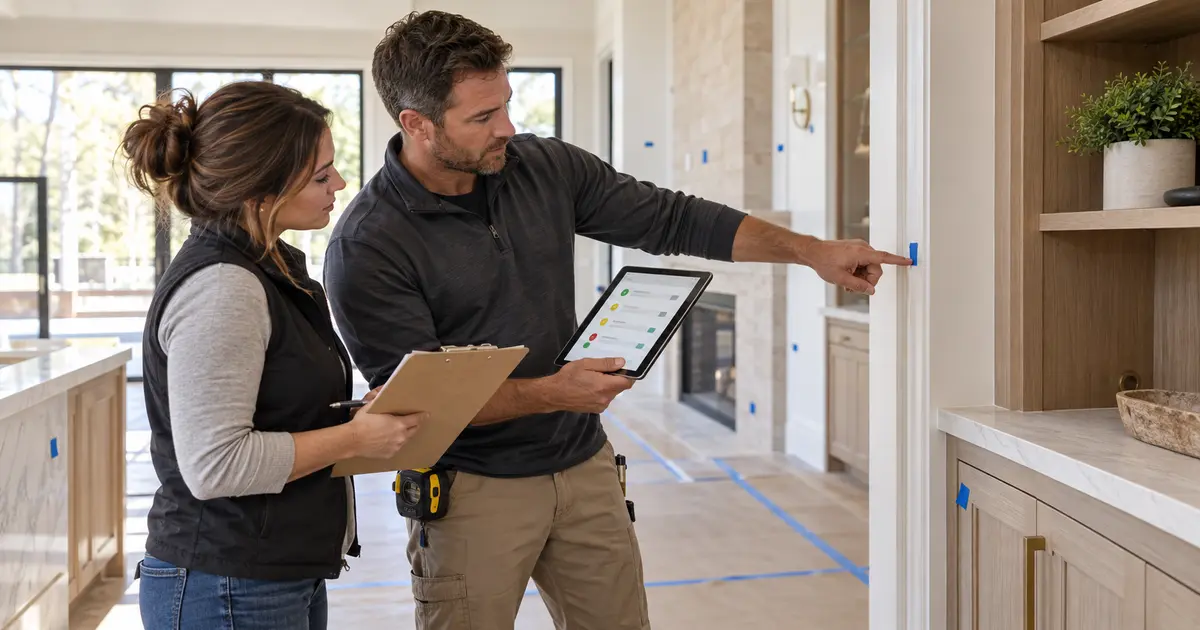
The house looks finished until the walkthrough starts. A cabinet door needs adjustment. One paint touch-up has no owner. A missing cover plate is mentioned in a text. The flooring correction is on a superintendent's notepad, and the homeowner asks about an item nobody remembers agreeing to. Each detail is small. Together, they can delay final acceptance and keep a nearly complete project open.
That is the pain behind searches for construction punch list software, a punch list app for contractors, and home builder closeout software. The problem is rarely making a list. It is keeping every correction tied to a location, an owner, a due date, a status, and a final verification while the team is already moving to the next job.
THE SHORT ANSWER
Construction punch list software turns final corrections into assigned, trackable work instead of scattered texts and memory.
BuildVecta keeps the punch list inside the job closeout record. A builder can name the correction, identify the trade and assignee, set a due date, move it from open through verification to complete, track final documents, record the walkthrough and acceptance, and send the homeowner a clear closeout update.
A punch list is a control process, not a cosmetic checklist
Punch work includes visible finish corrections, but it can also cover incomplete scope, missing hardware, damaged materials, cleanup, labeling, adjustment, testing, documentation, and other agreed items that must be resolved before closeout. On a remodel in an occupied home, even a small open item can create another visit, another access appointment, and another interruption for the client.
A useful digital punch list answers six questions without another phone call: What is wrong? Where is it? Who owns the correction? When is it due? What is its current status? Who confirmed that the finished work is acceptable? If one of those answers lives only in a person's memory, the item is not under control.
The punch list also should not replace required inspections, contractual notices, certificates, lien waivers, or formal owner acceptance. Those belong in the broader closeout process. The list organizes remaining field work; the complete project record proves that the handoff was handled deliberately.
What every punch item should contain
| Field | Useful detail | Why it matters |
|---|---|---|
| Location | Room, elevation, area, fixture, or nearby landmark | The assignee can find the work without asking for directions |
| Correction | A specific observable result, not “fix finish” | The crew and verifier share the same definition of complete |
| Trade and assignee | The responsible company or person | The item has clear ownership |
| Due date | A realistic date coordinated with access and dependencies | Closeout can be managed as scheduled work |
| Status | Open, in progress, ready to verify, or complete | “Worked on” is not confused with “accepted” |
| Supporting record | Notes plus relevant job photos, files, or inspection information | The team can understand the condition and the correction later |
Write for the person doing the work: “Adjust pantry door so the reveal is even and the latch closes” is more useful than “cabinet issue.” Specific language makes assignment and verification faster without turning the item into a long report.
Why texts and spreadsheets break down at closeout
A shared spreadsheet can record rows, but field updates often arrive by text, call, photo, or conversation. Someone must transfer every update into the sheet, preserve the newest version, and tell the next person what changed. When the subcontractor says an item is done, the row may be marked complete before the builder verifies it.
Group texts create a different problem. The correction, image, scheduling question, and “done” message become part of a fast-moving conversation. A second item in the same room may look similar. Weeks later, there is no clean view of what remains open or which correction was actually inspected.
The right workflow keeps the status with the job and separates assignment from verification. That distinction matters: a trade can finish its work, but the builder still decides whether the item meets the project's requirements and can be closed.
How BuildVecta handles the punch list and homeowner handoff
Create the correction inside the job
Give the punch item a clear title and add location, correction, photo, or inspection context in the notes.
Name the trade and responsible person
Record who owns the work and add a due date so the final items become scheduled responsibilities.
Use a status that describes reality
Move work through Open, In progress, Ready to verify, and Complete instead of relying on an unconfirmed “done” message.
Close the item after review
The builder can keep an item ready for verification until the correction has been checked against the agreed result.
Track the turnover package
Use the closeout checklist for items such as final approval, approved changes, lien waivers, warranties, care instructions, final photos, and as-built plans when applicable.
Record the walkthrough and update the homeowner
Save the walkthrough date, warranty start, acceptance details, and send a closeout summary showing remaining punch work.
Build the punch list before the homeowner finds it
A professional closeout starts with the builder's own quality-control walk. Review each area systematically, record clear items, and give the responsible trades time to correct them before the client walkthrough when practical. This does not eliminate owner comments, but it changes the meeting from defect discovery to a controlled handoff.
Use a consistent route through the project. For a custom home, that might mean exterior and site, garage and mechanical areas, then each floor room by room. For an occupied remodel, include protection, cleanup, adjacent finishes, equipment operation, and restoration of spaces used during construction. Test what must operate; do not rely only on appearance.
Supporting images are most useful when they remain with the project. BuildVecta's approach to construction photo documentation helps keep field conditions, corrections, and finished work out of personal camera rolls. If the item changes scope, price, or schedule, move it through the documented process described in our guide to construction change orders rather than hiding it in the punch list.
Closeout is more than the final correction
A job is not ready to close simply because every visible item has a checkmark. The final record may also need inspection approval, certificate of occupancy where required, approved change orders, final lien waivers, manufacturer and workmanship warranties, care instructions, final photos, and as-built information. Requirements vary by project, contract, lender, insurer, and jurisdiction, so the builder should define the applicable list before the last week.
BuildVecta places the turnover checklist beside the punch list. Its closeout progress view shows open punch items, documents ready, and homeowner acceptance. The builder can print a closeout package and send a job-specific homeowner update from the same workflow. That keeps the physical corrections and administrative handoff from drifting into separate processes.
Clear updates also reduce repeated status questions. BuildVecta's communication workflowkeeps sent closeout messages with the project record, while the broader builder software features keep schedules, budgets, files, daily records, and client decisions connected through the job.
A practical construction punch list workflow
- Define closeout requirements before the project reaches final finishes.
- Complete an internal builder quality-control walk before the client walkthrough.
- Write one specific correction per punch item and identify its exact location.
- Assign the responsible trade or person and set a realistic due date.
- Keep relevant photos, files, and inspection information with the project record.
- Use “ready to verify” when work is reported complete but has not been checked.
- Verify the correction before marking the item complete.
- Track required final documents alongside the physical punch work.
- Record the walkthrough, acceptance, and warranty start according to the contract.
- Send the homeowner a clear summary of what remains and what happens next.
After acceptance, continue the relationship deliberately. Our guide to contractor reviews and referrals explains how to make the request part of closeout without pressuring the customer.
COMMON QUESTIONS
Construction punch list software FAQ
What is construction punch list software?
Construction punch list software records incomplete or corrective work near the end of a project, assigns responsibility, tracks due dates and status, and helps the builder verify that each item is complete before final handoff.
What should a construction punch list item include?
A useful punch item identifies the exact location, required correction, responsible trade or person, due date, current status, and verification notes. Relevant photos, plans, inspection notes, or other files should remain with the same project record.
Who creates the punch list on a custom home or remodel?
The contract and project process determine responsibility. Builders commonly prepare internal quality-control items before a homeowner walkthrough, then document agreed remaining work and verify completion. Required inspections and contractual acceptance are separate from the punch list.
How does BuildVecta handle punch lists and job closeout?
BuildVecta lets the builder create job-specific punch items, record the trade and assignee, set a due date, move each item through open, in-progress, ready-to-verify, and complete statuses, track final documents, record walkthrough and acceptance details, and send a homeowner closeout update.
How much does BuildVecta cost?
BuildVecta is $297 per month after a three-day free trial. Advertising spend and optional usage-based services are separate.
KEEP THE LAST DETAILS FROM DRAGGING ON