ON-SITE ESTIMATING
Turn site-visit photos into a preliminary estimate before you leave.
A practical way to turn photos, walkthrough video, measurements, and field notes into an editable scope and price draft.Published September 28, 2026 · 12-minute read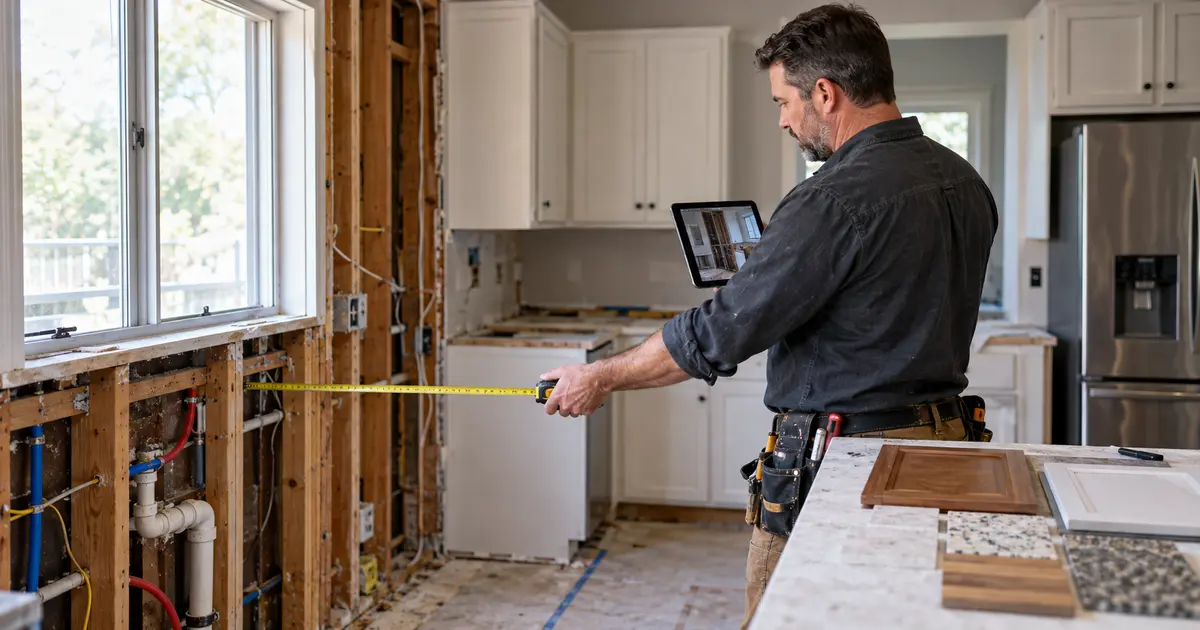
You spend an hour walking the job, taking pictures, answering the customer’s questions, and jotting measurements wherever you can. Then the next appointment starts. By the time you open the estimate that evening, the photos are mixed into your camera roll, one dimension is on the back of a receipt, and you are trying to remember whether the customer wanted the vanity moved or only replaced.
That delay is why contractors search for photo estimating software for contractors, a contractor photo estimate app, and ways to estimate a construction job from photos. The goal is not to let a picture invent a final price. The useful goal is to turn the evidence collected during the visit into an organized, editable preliminary estimate while the conditions and conversation are still fresh.
THE SHORT ANSWER
Contractors can use site photos to build a preliminary estimate—but the photos should support measured scope, not replace it.
BuildVecta combines job photos, sampled walkthrough-video frames, spoken or typed notes, a selected job type, ZIP code, and confirmed measurements. It proposes editable labor, material, allowance, and open-question lines. The contractor checks quantities, current local costs, markup, exclusions, and terms before anything becomes a customer bid.
Why a stack of photos still leaves an estimator starting over
A photo can show that cabinets exist, a wall is open, access is tight, or a fixture needs replacement. It usually cannot prove the room’s exact dimensions, what is concealed behind a finished wall, whether a circuit has capacity, which permit will be required, or what a supplier will charge next month. A useful estimating system respects that boundary.
The real advantage comes from organizing the visual evidence with the rest of the visit. The kitchen photo should sit beside the measured cabinet run, the note that the layout stays, the customer’s quartz reference picture, and the question about moving the sink. When those details remain together, the contractor spends less time reconstructing the visit and is less likely to price work that was never discussed.
This is different from simply saving progress photos. BuildVecta’s construction photo documentation workflow preserves job records over time. The estimating workflow uses a selected set of visit images and notes to prepare the next business decision: what visible or stated work should appear in the draft, and what still needs an answer?
What a reliable photo-supported estimate needs
| Visit evidence | What it contributes | What still needs verification |
|---|---|---|
| Wide site photos | Overall layout, access, protection needs, and visible conditions | Dimensions, concealed work, and code requirements |
| Close detail photos | Fixture labels, damage, transitions, materials, and connection points | Compatibility, availability, and exact replacement scope |
| Walkthrough narration | Room names, customer requests, exclusions, and decisions made on site | Transcript accuracy and any ambiguous statement |
| Measured quantities | Known lengths, areas, counts, and equipment or fixture quantities | Scale, units, waste, and field confirmation |
| Inspiration pictures | The customer’s desired finish, style, or configuration | Product selection, price, lead time, and feasibility |
| ZIP code and saved rates | The location and contractor-maintained local cost context | Current supplier, subcontractor, tax, permit, and delivery costs |
How BuildVecta turns the site visit into an editable draft
- Choose the actual job type. A kitchen remodel needs cabinet, countertop, appliance, plumbing, electrical, flooring, and finish questions. A plumbing repair, exterior renovation, custom home, or concrete job needs a different scope and different budget lines. BuildVecta uses the selected company type or residential project type to keep the draft relevant.
- Capture the existing conditions. Add clear photos of the work area and, when useful, a short walkthrough. Video is reviewed through sampled frames; supported narration can be transcribed into visit notes. The contractor reviews the transcript before relying on it.
- Separate the customer’s goal from the current condition.Homeowner inspiration pictures show the intended result. They are not treated as proof of the existing dimensions or construction. That distinction matters when the desired room is larger, laid out differently, or finished with products that have not been chosen.
- Add what the camera cannot know. State measurements, material selections, access limits, retained work, demolition, protection, exclusions, and any customer decision that affects cost. If an exact measurement is missing, BuildVecta identifies an allowance or question instead of silently presenting a guess as a measured quantity.
- Review every proposed line. The draft separates scope into labor, material, and allowance lines and shows the evidence, assumptions, and confidence behind them. The contractor edits or removes anything that does not match the visit.
- Replace rough allowances with current costs. Contractor- maintained rates can refine measured lines. Subcontractor and supplier quotes should replace assumptions as they arrive. A general allowance is not a live local quote and should never be described as one.
- Prepare the customer bid. Once the scope and numbers are reviewed, approved estimate lines can move into the bid. The contractor controls markup, terms, exclusions, schedule language, and the decision to send. BuildVecta can then keep the follow-up attached to the same opportunity.
See the complete on-site estimate workflow, or review how BuildVecta handles estimates and follow-up after the visit.
Preliminary estimate, customer bid, and takeoff are not the same
Using the right label protects both the contractor and the customer. A preliminary estimate is an early working price based on the information available. It should clearly show allowances, open questions, and assumptions. It helps the contractor decide whether the job fits and gives the customer a realistic next step.
A customer bid or proposal is the contractor-reviewed offer. It adds confirmed scope, final pricing decisions, markup, payment terms, exclusions, schedule assumptions, and expiration language. The contractor decides when the draft is complete enough to send.
A blueprint takeoff is plan-based quantity work. It depends on the current drawing set, scale, details, and specifications. Photos can add valuable existing-condition context, especially in remodeling, but they do not convert an incomplete plan into a measured takeoff. For plan-driven work, use BuildVecta’s construction takeoff workflow and verify the plan version before pricing.
A five-minute photo routine that produces a better draft
Start each visit with one wide image that establishes the area. Move in a consistent direction and take close photos only where they add estimating information. Capture access, protection, transitions, utilities, labels, damage, retained work, and disposal conditions. If a measurement matters, say it clearly in the narration and enter it in the notes. Photograph the tape only as supporting evidence—not as the sole record of the number.
Before leaving, review the open questions with the customer. Which materials are selected? What stays? What moves? Who supplies fixtures or appliances? Is the home occupied? Are there known access hours, association rules, parking limits, pets, hazardous materials, or prior damage? A strong estimate is often improved more by one answered scope question than by twenty additional photos.
Finally, look at the draft while you can still walk back into the room. If BuildVecta lists a missing dimension or an uncertain line, confirm it on site. That is the practical value of preparing the estimate before leaving: uncertainty becomes a question you can resolve now instead of an assumption you discover after sending the bid.
Where contractor review matters most
- Measurements: Confirm every quantity that affects ordering, labor, or a fixed price.
- Concealed conditions: Use allowances or exclusions when walls, systems, soil, or structure cannot be verified.
- Local costs: Check supplier pricing, subcontractor coverage, tax, delivery, disposal, and permit fees.
- Scope boundaries: State what is included, what remains, who supplies products, and what requires a change order.
- Professional requirements: Identify engineering, design, testing, licensing, code, or permit review that the job requires.
- Business terms: Apply the company’s overhead, profit, payment schedule, warranty, and contract language.
Important: BuildVecta’s photo-supported output is a preliminary estimating draft. Contractors remain responsible for final scope, measurements, pricing, contracts, code, licensing, permits, safety, supervision, and any required professional review.
One visit should keep moving through the business
A fast estimate is most useful when it does not become another dead document. In BuildVecta, the visit begins inside the job record. The reviewed lines can support the customer bid and preliminary budget. Follow-up remains connected to the lead. When the customer says yes, the approved work can move into the job schedule, tasks, budget, files, communication, and later cost updates.
That connected handoff is the larger benefit. You are not only trying to calculate a number faster. You are trying to avoid entering the same customer, scope, measurements, and price into a different system at every stage. The field evidence should help prepare the estimate, the estimate should help prepare the bid, and the won bid should help start the job.
COMMON QUESTIONS
Photo estimating software for contractors FAQ
Can a contractor estimate a job from photos?
Photos can support a useful preliminary estimate when they are combined with the job type, site notes, confirmed measurements, selections, access conditions, and local pricing. Photos alone usually cannot confirm scale, concealed conditions, code requirements, or every labor and material quantity, so the contractor must review the draft before sending a bid.
What should be photographed during a construction estimate?
Capture wide views of the work area, closer views of relevant conditions, access and protection needs, visible utilities, material or fixture labels, areas that will remain, and any damage or uncertainty. Add a known measurement or scale reference where useful, but do not rely on an ordinary photo to create exact dimensions.
Can BuildVecta create an estimate from a walkthrough video?
BuildVecta can use sampled frames from a short walkthrough and can transcribe supported narration into visit notes for review. The contractor should state measurements, room names, materials, scope, exclusions, and customer selections clearly, then verify the proposed estimate lines.
Is a photo estimate the same as a blueprint takeoff?
No. A photo-supported site-visit estimate is an early, editable pricing draft based on visible conditions and supplied details. A blueprint takeoff uses current plans and scale to organize plan-based quantities. Either workflow still requires contractor review, current pricing, and confirmation of the final scope.
How much does BuildVecta cost?
BuildVecta is $297 per month after a three-day free trial. Advertising spend and optional usage-based services are separate.
PRICE THE VISIT WHILE IT IS FRESH