COMMITTED COSTS, BILLING DATES & PROJECT FUNDING
Payroll is Friday. The customer draw is still under review.
How construction cash flow management software helps contractors see cost timing early, prepare supported billing, and keep assumptions separate from collected cash.Published November 21, 2026 · 16-minute read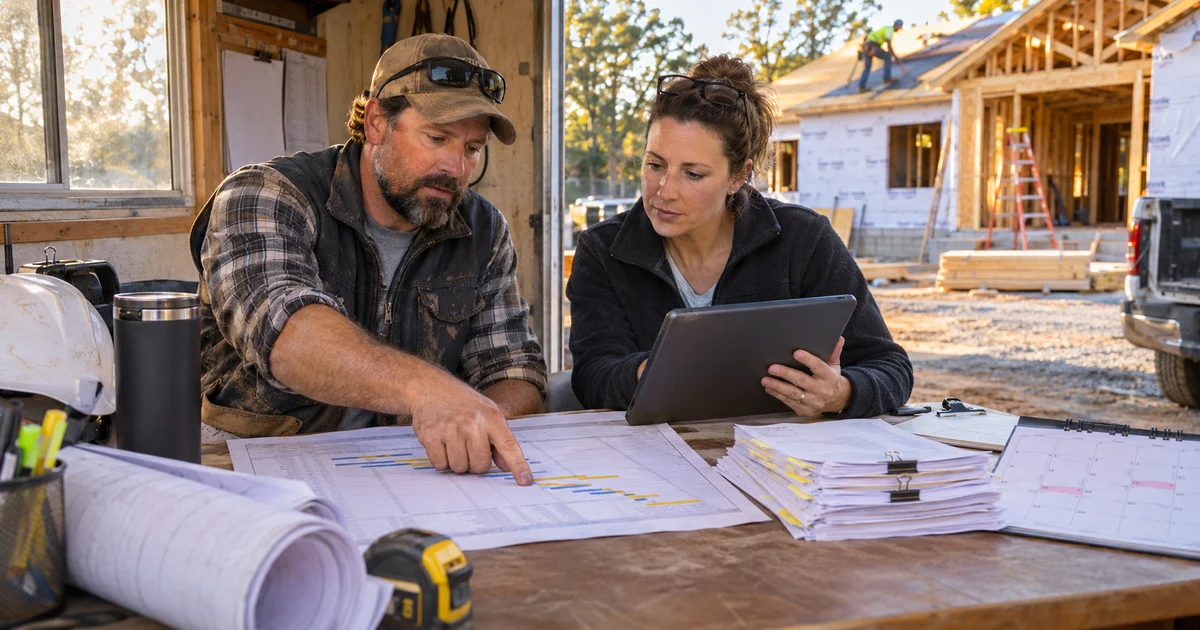
The framing package is on site, the crew has logged a full week, and the electrician's deposit is due. The project is moving exactly as planned. The customer payment is not. The request went out three days later than expected because an inspection record and supplier invoice were missing, and the owner's review will not finish before payroll clears.
The job may still be profitable. That does not put cash in the account on Friday. This timing gap is the real problem behind searches for construction cash flow management software for contractors, construction cash flow forecasting software, and how to forecast cash flow for a construction project. Contractors need to see upcoming commitments soon enough to prepare the corresponding billing, documentation, and company funding plan.
BuildVecta connects awarded trade and material costs to scheduled work, lets the contractor assign deposit, progress, and final installments, and summarizes those dated approved costs by month. The same job can support a reviewed draw or progress-billing request with documents and keep the resulting Sent or Paid project status. BuildVecta supplies project timing; it does not know the company's live bank balance or replace its accounting, payroll, accounts-payable, financing, or treasury process.
THE SHORT ANSWER
Construction cash flow software should show when committed costs and expected collections may occur—not merely whether the job is profitable.
BuildVecta turns awarded costs and schedule dates into a monthly project funding forecast. A contractor can split an award into realistic payment installments, see scheduled and unscheduled commitments, prepare a supported draw or customer billing request for eligible work, and preserve its sent and paid status with the job. To forecast the company's actual cash balance, combine that project information with accounting data for receivables, payables, payroll, overhead, taxes, debt, retainage, financing, and realistic collection dates.
Profit, budget, billing, and cash answer different questions
Cash-flow trouble often begins when one report is expected to answer every financial question. A budget can show that the project should earn a margin. Job costing can show whether committed and actual costs are drifting. A billing report can show what has been requested. None of those automatically proves that enough unrestricted cash will be available on the date a payment leaves the bank.
| View | Question | What it does not prove |
|---|---|---|
| Project budget | How much is allowed by cost category? | When the bill or payment falls due |
| Committed cost | What has the contractor agreed to buy? | That the cost has been invoiced or paid |
| Actual job cost | What cost has the project incurred? | That cash left on the same date |
| Customer billing | What payment has been requested? | That the request was approved or collected |
| Cash forecast | When may money arrive and leave? | That every assumption will happen |
| Bank reconciliation | What cash movement actually cleared? | Future project funding needs |
BuildVecta's contractor job-costing workflow keeps original budget, selected winning bids, and actual costs distinct. Its cash-flow value begins when a real commitment is connected to a real schedule date. The accounting system remains responsible for the final bill, payment, deposit, reconciliation, and financial statements.
Start the forecast with accepted commitments, not hopeful allowances
An early estimate is useful for planning, but it does not establish who must be paid, how much, or when. Once a subcontractor or supplier bid is accepted, the commitment has a company, scope, amount, budget line, and expected work period. That is stronger cash-planning evidence.
In BuildVecta, awarding a bid connects the contractor or material supplier, awarded amount, budget line, and matching scheduled work inside the job. The subcontractor bid record and supplier purchase workflow provide the scope and source behind the number. The commitment then follows the linked build-schedule date into the draw forecast.
Do not treat every budget allowance as a cash commitment. An allowance may still depend on a customer selection, field measurement, final quantity, quote, tax, freight, or approval. Show unresolved costs as assumptions and update them as the evidence improves. A forecast that looks complete because unknowns were hidden is less useful than one that labels what is not yet priced or scheduled.
Split one award into the dates money is actually expected to be needed
One awarded amount rarely leaves the company in one clean transaction. A cabinet supplier may require a deposit, a production payment, and a balance before delivery. A subcontractor may bill mobilization, monthly progress, and final completion. A material order may include freight or a later invoice variance.
BuildVecta lets the contractor divide a supported award into deposit, progress, and final installments. Each installment can use a chosen date or related schedule activity, and the total must reconcile to the awarded amount. Those dated lines roll into the appropriate forecast months. If an award has no schedule connection or payment date, it remains visible as an unscheduled commitment instead of quietly disappearing from the cash-timing picture.
Confirm the obligation
Use the accepted scope, payee, amount, and budget line—not an unreviewed quote.
Model installments
Separate deposits, progress amounts, and final payment when the agreement supports them.
Connect the schedule
Place each installment on a specific date or responsible work activity.
Check the total
Ensure the dated installments still equal the accepted commitment.
Scan each month
Look for clusters, missing dates, blocked deliveries, and early deposits.
Follow the job
Revise assumptions when the schedule, invoice, delivery, or approved scope changes.
This is the project's planned approved-cost timing. It is not the same as accounts payable. BuildVecta does not apply vendor terms, calculate pay-when-paid rules, approve bills, schedule checks, or verify that cash left the bank. The project team and accounting team must agree on how dated commitments flow into the company forecast.
Put expected customer cash on a different line from the cost forecast
A contractor can see $80,000 of scheduled costs next month and decide to request $80,000 from the customer. That does not mean $80,000 will be collectible or available on the same date. The customer contract controls billing eligibility, markup, schedule of values, deposits, approved changes, stored materials, prior billing, tax, retainage, review time, and payment terms.
BuildVecta's construction draw schedule uses awarded costs and dated installments to show monthly funding needs. Its construction billing workflow can calculate eligible scheduled lines for a selected month, guide a readiness review, attach selected job documents, and prepare a lender draw or customer progress-billing request. That creates a supported request; it does not create cash.
| Customer-cash state | Meaning | Forecast treatment |
|---|---|---|
| Planned | The contract or project plan anticipates future billing | Assumption; confirm eligibility and timing |
| Eligible | Work appears to satisfy the billing condition | Review scope, evidence, prior billing, and required form |
| Sent | The request or invoice was delivered and recorded | Use the realistic expected collection date, not the sent date |
| Approved | The payer or reviewer accepted some or all of the request | Adjust for retainage, deductions, dispute, and processing time |
| Collected | The payment was received | Verify application and deposit in accounting |
| Reconciled | The invoice, payment, fee, and bank activity agree | Replace the forecast amount with the actual result |
BuildVecta's job billing ledger can preserve the billing month, customer, project, reference, amount, sent date, and Sent or Paid status. A user should mark Paid only after checking the accounting or banking evidence. For the supported customer-invoice handoff, see the QuickBooks integration guide. The current connection does not import company bank balances or create a full cash forecast.
Complete support before the billing cutoff
A late billing package can push collection into the next approval cycle. The amount may be valid, yet missing inspection evidence, invoices, photos, lien documents, or the correct reference can hold up review. Cash-flow management therefore includes document readiness—not just a spreadsheet date.
BuildVecta keeps the project documents, progress photos, inspection records, contracts, invoices, receipts, and purchase records with the job. Before a request is sent, the billing workspace can surface customer and project details, eligible scheduled costs, supplier-delivery holds, work and inspection confirmation, lien-release status, selected support, and delivery email.
The contractor remains responsible for the required form, accuracy, approval, privacy, and legal sufficiency of every attachment. BuildVecta does not certify work, create licensed AIA forms, determine a lien waiver's validity, or guarantee that a lender or customer will approve or pay the request.
Let schedule changes update the forecast—then review the consequence
When framing moves two weeks, the expected trade and material timing may move with it. BuildVecta keeps the awarded bid connected to its assigned work, so a schedule change can update the default scheduled draw timing. A specifically dated payment installment remains an explicit contractor-controlled date because the agreement may require payment even when field work shifts.
That distinction prevents blind automation. Moving an activity does not automatically renegotiate a supplier deposit or subcontract payment term. Review every affected installment, customer billing cutoff, inspection, delivery, and supporting document. If the revised cost date now lands before the expected customer collection, the company forecast must show the funding gap.
Approved change orders and client selections also need to reach the budget and timing plan. A proposed change is not a collectible receivable. A receipt is not owner approval. Keep proposed, approved, committed, incurred, billed, collected, and paid statuses distinct.
Build the full 13-week company forecast outside the job schedule
A project cost forecast is one input to company cash management. A true short-term cash forecast normally starts with available cash and places expected receipts and disbursements into weekly periods. It may include every active job plus payroll, payroll taxes, insurance, rent, vehicles, software, equipment, owner draws, debt service, sales and income taxes, financing, disputed receivables, credit limits, and non-project expenses.
BuildVecta does not calculate that company-wide ending cash balance, import bank feeds, age receivables or payables, run payroll, model debt facilities, or automatically forecast retainage. Do not label its monthly scheduled-cost view as a complete 13-week cash forecast. Export or transfer the reviewed project timing into the financial process approved by the company's accountant, controller, or advisor.
| Forecast input | BuildVecta contribution | Financial-system contribution |
|---|---|---|
| Project cost timing | Awarded costs, installments, schedule dates, unscheduled commitments | Vendor bill, due date, payment status, cash disbursement |
| Customer funding | Prepared request, support, sent and paid project status | Receivable, expected collection, actual receipt, reconciliation |
| Actual job cost | Reviewed actual cost by budget line | Expense, AP, card or bank transaction, accounting period |
| Company obligations | Not calculated | Payroll, tax, overhead, debt, equipment, non-job expenses |
| Available cash | Not calculated | Bank balances, restricted funds, credit availability |
A difference between the project forecast and accounting is not automatically an error. It may reflect billing lag, payment terms, retainage, deposits, inventory, partial delivery, credit memos, payroll allocation, or timing. Document the reason and decide which record must change; never force the totals to agree by deleting evidence.
Run a weekly contractor cash-flow review
The forecast becomes useful when somebody owns it. A practical weekly meeting can stay short if project and financial records are already current.
- Update the job schedule: record delays, inspections, deliveries, and revised activity dates.
- Review commitments: confirm new awards, deposits, progress installments, final payments, and unscheduled items.
- Check actual costs: reconcile supplier invoices, receipts, credits, returns, and subcontractor invoices to the project.
- Prepare billing: identify the next cutoff, eligible work, required approvals, supporting documents, and recipient.
- Update collections: distinguish planned, sent, approved, paid, and reconciled amounts.
- Refresh the company forecast: add accounting, payroll, overhead, tax, debt, financing, and bank information outside BuildVecta.
- Resolve the low point: address missing billing, timing conflicts, disputed items, late support, or approved funding needs before the due date.
Use at least a base case and a delayed-collection case. Ask what happens if an approval moves one billing cycle, a delivery requires an earlier deposit, an inspection fails, a customer withholds a disputed change, or retainage is not released at closeout. BuildVecta does not calculate those scenarios automatically, but its connected job records show which schedule and commitment assumptions need to be changed and reviewed.
How to evaluate construction cash flow forecasting software
Test a real project with a supplier deposit, two subcontractor progress payments, a schedule delay, a customer billing cutoff, an approved change, retainage, and one late collection. Do not accept a graph until you understand what feeds every line.
- Can accepted commitments connect to the correct project, budget line, responsible work, and payment dates?
- Can one award be split into deposit, progress, and final installments without changing the accepted total?
- Are unscheduled or unpriced commitments visible instead of silently omitted?
- Does a schedule change update default cost timing while preserving deliberately dated contract obligations?
- Can the project team distinguish budget, commitment, actual cost, billing, collection, and payment?
- Can required billing support be assembled before the customer or lender cutoff?
- Does the system distinguish a sent request from approval, collection, and bank reconciliation?
- Can project data feed a company forecast without pretending to replace payroll, AP, AR, banking, or accounting?
- Are retainage, payment terms, financing, scenario assumptions, and missing integrations disclosed clearly?
- Can users correct a timing assumption while preserving the original source and audit trail?
The useful system is not the one that produces the smoothest curve. It is the one that makes the contractor's assumptions visible, keeps them connected to real project evidence, and shows where a schedule or collection change creates a decision.
Authoritative references for construction cash flow
Cash forecasting, contract payment, accounting, financing, and legal requirements vary by company and project. These industry and government resources provide useful foundations:
- Construction Financial Management Association — Effective Cash Management as a Company Culture explains the role of job cash flow, direct short-term forecasts, and coordination between project and finance teams.
- Construction Financial Management Association — Cash Flow Best Practices to Help Subcontractors discusses forecasting, payment terms, collections, and working-capital pressure.
- AIA Contract Documents — Construction Payment Process Explained for Contractors covers progress payment applications, schedules of values, retainage, payment timing, and contract remedies.
- U.S. Small Business Administration — Manage your business provides small-business finance and counseling resources, including cash-flow projection guidance.
Build company forecasts, billing rules, payment controls, reserve policies, and financing decisions with qualified accounting, legal, tax, and financial professionals. Software organizes evidence and assumptions; it does not make those professional judgments.
Frequently asked questions
What is construction cash flow management software?
Construction cash flow management software helps a contractor estimate when money may enter and leave the business, then compare the forecast with what actually happens. A complete company forecast may include opening cash, customer collections, payroll, subcontractors, suppliers, overhead, taxes, debt, retainage, and financing. Project software may supply the job schedule, committed costs, billing dates, and payment status that feed that broader forecast.
How does BuildVecta help forecast construction cash flow?
BuildVecta connects awarded subcontractor and material costs to dated job-schedule work. Contractors can split an award into deposit, progress, and final installments, assign dates, and review the resulting approved-cost forecast by month. The same job can support a reviewed draw or progress-billing request and retain its Sent or Paid project status.
Does BuildVecta create a full 13-week company cash flow forecast?
No. BuildVecta does not calculate a company bank balance or a complete 13-week forecast across payroll, overhead, taxes, debt, credit facilities, accounts payable, and accounts receivable. Use its project timing as one operational input, then combine it with current accounting, banking, payroll, and management assumptions in the company's approved cash forecasting process.
What is the difference between a construction budget and a cash flow forecast?
A construction budget answers how much a job expects to spend by category. A cash flow forecast answers when cash is expected to be received and paid. A profitable job can still create a cash shortage if deposits, materials, payroll, and subcontractor payments fall due before the customer or lender pays.
Does a draw schedule prove when cash will be collected?
No. A draw schedule plans funding requests around project work and costs. Collection still depends on contract eligibility, documentation, submission timing, review, disputes, retainage, payment terms, and the payer's actual process. Treat a prepared or sent request differently from an approved, collected, and reconciled payment.
Can BuildVecta calculate retainage or accounts-payable due dates?
No. BuildVecta's supported workflow does not automatically calculate contract retainage, schedule vendor payments, age accounts payable, or decide pay-when-paid obligations. Those rules belong in the contract, accounting system, required payment process, and professional review.
How often should a contractor update a cash flow forecast?
Update the near-term forecast whenever a material schedule, commitment, billing, collection, or payment assumption changes, and review it on a fixed weekly rhythm. Longer project forecasts may be reviewed monthly, but upcoming payroll, supplier, subcontractor, tax, and collection timing needs more frequent attention. The appropriate cadence depends on the business and should be agreed with its financial professionals.
How much does BuildVecta cost?
BuildVecta Core is $39 per month plus applicable tax after a three-day free trial. The trial includes one takeoff. Optional add-ons, marketing upgrades, advertising spend, payment processing, QuickBooks or other third-party fees, permit fees, and physical gifts are separate.
SEE THE FUNDING NEED BEFORE THE DUE DATE