SUBCONTRACTORS & TRADE COORDINATION
The electrician is ready. The jobsite is not.
How subcontractor management software connects bids, assigned work, schedule dates, job records, and payment planning for small builders.Published November 5, 2026 · 13-minute read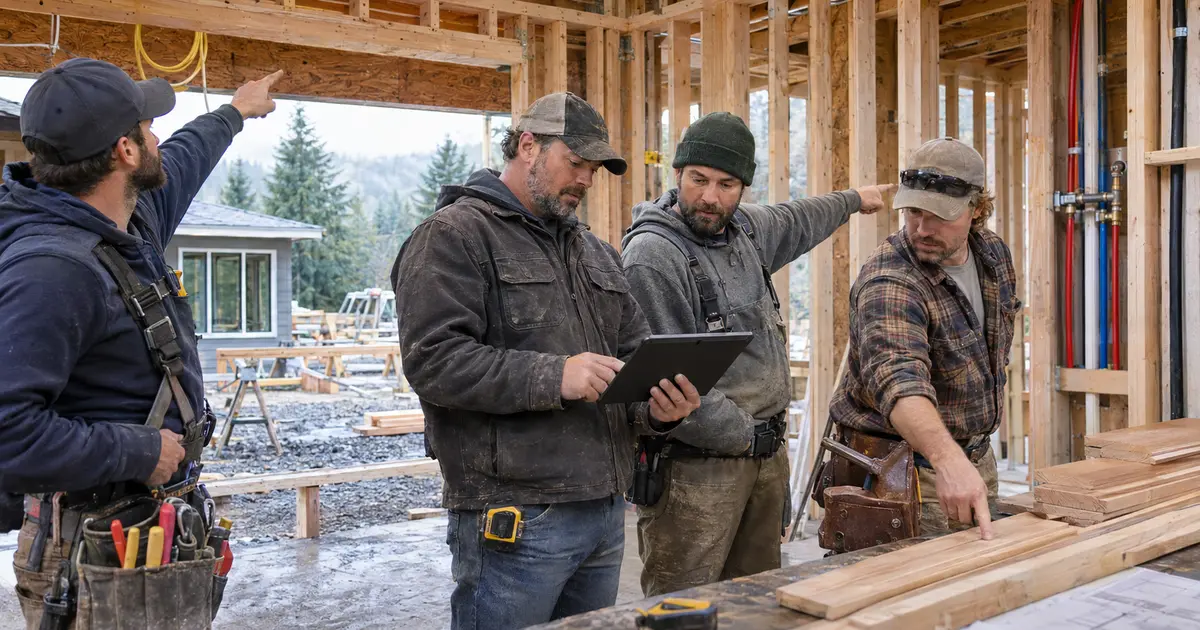
The electrician reserved Tuesday. On Monday afternoon, the framing correction is still open, the rough-plumbing inspection moved, and the latest floor plan is in a text thread the electrician never received. If the crew comes anyway, you pay for confusion. If they leave for another job, the next available date may be weeks away. Meanwhile, the homeowner sees an empty site and asks why nothing is happening.
This is why builders search for subcontractor management software, subcontractor scheduling software, and general contractor subcontractor software. The problem is not simply storing a phone number. It is keeping the selected trade, approved scope, current plan, assigned dates, prerequisites, cost, communication, and next decision connected across several active jobs. BuildVecta gives small builders one practical workflow for that coordination without pretending software can replace field supervision or the contractor's judgment.
THE SHORT ANSWER
Subcontractor management software keeps each trade's scope, bid, dates, assigned work, files, cost, and communication connected to the job.
In BuildVecta, a builder can save subcontractor and supplier contacts, send consistent pricing requests, organize returned bids, assign selected contractors to scheduled work, and invite them to a limited workspace for their own bids and dates. Accepted bid amounts can support the job budget and draw plan. When work changes, the builder can update the schedule, linked tasks, files, communication, and cost records from the same project rather than rebuilding the story in email, texts, spreadsheets, and separate calendars.
Bid management ends at selection. Subcontractor management continues through closeout.
A bid invitation answers, “Who will perform this scope, and for how much?” Managing the subcontractor answers a longer set of questions: Which scope was accepted? What has to be ready before the crew arrives? Which plan revision governs? Who owns the next task? What changed? Which cost belongs in the budget or draw? What work remains at punch and warranty?
| Stage | Record the builder needs | Failure when it stays separate |
|---|---|---|
| Qualification | Company, trade, service area, contact details, required business documents, and notes. | The wrong company is invited, or a required verification is assumed instead of completed. |
| Pricing | Current scope, plans, addenda, due date, exclusions, and returned bid. | Bids look comparable but cover different work. |
| Award | Selected proposal, accepted amount, contract or work authorization, and budget line. | The field expects work that was never included or funded. |
| Scheduling | Start window, duration, predecessors, access, materials, inspection status, and assigned crew. | A trade arrives before the site is ready or after the following trade is already booked. |
| Production | Current drawings, RFIs, daily records, photos, changes, tasks, and communication. | The crew builds from an old answer or the office cannot reconstruct what happened. |
| Payment and closeout | Approved work, billing support, completion status, punch items, signed changes, and warranty responsibility. | Payment, handoff, or service work is delayed by missing records. |
BuildVecta's subcontractor bid management workflow covers the pricing stage. The management workflow continues by carrying selected contractors and accepted information into the schedule, tasks, working budget, draw planning, project files, communication, and closeout record.
How BuildVecta moves a subcontractor from pricing request to assigned work
Save the trade contact
Record the company, contact, email, phone, trade, and notes so the next project does not begin with another search through old messages.
Send a complete request
Choose the scope, current plans and files, due date, and subcontractors or suppliers who should price the work.
Compare actual coverage
Keep replies and bid files with the project and trade. Review inclusions, exclusions, allowances, alternates, schedule assumptions, and price before selecting.
Connect the accepted bid
Carry the approved amount and trade into the working budget and, when appropriate, the lender draw plan.
Assign the work
Connect the subcontractor's email to the applicable schedule items and tasks, with dates the builder has reviewed.
Keep the record current
Update dates, files, questions, changes, progress, and closeout items in the job so each next action uses the current project record.
Start with one usable subcontractor record—not another contact list
A name and phone number are not enough to decide who should receive a bid or be assigned to a job. A small builder needs a usable trade directory: company and contact names, trade, email, phone, service notes, past project context, and whatever verification the company requires before award. BuildVecta lets the builder save subcontractors and suppliers as business contacts, then select the relevant companies when preparing a pricing request or job assignment.
The builder remains responsible for the qualification process. Software cannot decide whether a trade is properly licensed, insured, classified, staffed, financially capable, or suitable for the project. Keep required licenses, certificates, tax documents, agreements, and expiration checks in the company's controlled process, and verify them with the relevant agency, insurer, accountant, attorney, or safety professional.
Send the same scope and current files to every bidder
Price comparison becomes unreliable when one bidder received the revised structural sheet, another priced an earlier plan, and a third assumed cleanup and equipment were by others. BuildVecta's pricing-request workflow organizes the trade or material category, project scope, takeoff, plans, attachments, recipients, and response deadline. Replies and uploaded bids stay connected to the project and trade.
The system creates a consistent delivery path, but the builder still levels the bids. Compare scope coverage, alternates, unit rates, allowances, tax, mobilization, equipment, cleanup, schedule, exclusions, payment terms, and proposal expiration—not only the total. If an addendum changes the work, issue the same clarification to every active bidder and preserve which version each proposal covers.
Schedule prerequisites, not just arrival dates
A subcontractor date is useful only when the work can actually begin. “Electrician Tuesday” should also mean the framing layout is accepted, required materials are onsite, access is available, relevant questions are answered, and the rough-plumbing sequence will not create a conflict. BuildVecta's schedule and budget workflow creates an editable starting schedule from the job type and start date, then connects subcontractors to applicable work.
Assignments can include start timing, expected duration, and the accepted bid. The builder can adjust dates as real conditions change and keep linked tasks aligned with the schedule. That is more useful than copying dates into a general calendar because the assignment stays connected to the job and trade.
Give subcontractors the portion they need—not the builder's whole account
Adoption fails when every subcontractor must learn a complicated system or receives access to information unrelated to their work. BuildVecta can invite a contractor to a limited workspace. After setting a password, the subcontractor can review their own bid requests, submit a bid, and see schedule items assigned to their email. They can choose whether to receive job notifications; those notifications begin off and can be turned off later.
Limited access is not a substitute for review. Before sending an invitation or update, the builder should confirm the email address, job, role, scope, attachments, and assigned dates. Critical mobilization, shutdown, inspection, and safety coordination may still require a direct call or documented meeting.
When a date moves, update the work that depends on it
The expensive part of a schedule delay is often the downstream chain. If cabinets move, countertops, backsplash, plumbing finish, appliance installation, and final touchups may move too. A calendar reminder does not show that relationship. BuildVecta keeps schedule items and assigned tasks in the job so the builder can review what changes next instead of notifying one trade and overlooking four others.
Record why the date changed, which activities are affected, who has been notified, and whether the cost or contract time changes. For material scope or price changes, use the documented construction change-order process. For unanswered field conditions, use the RFI record rather than letting the answer disappear into a text message.
Connect the accepted bid to the budget and draw plan
A selected subcontractor should not become a disconnected cost commitment. BuildVecta can connect accepted subcontractor bids to the working job budget. For financed projects, the bank-draw workflow uses scheduled work and accepted bid information to help the builder prepare a monthly draw plan that identifies expected timing, amount, payees, and covered work.
The contractor reviews every figure before sending. Accepted bid amount, approved changes, completed work, subcontract terms, lien documents, retainage, lender requirements, and actual payment authorization are separate controls. BuildVecta organizes the project information; it does not approve invoices, certify completion, release funds, or replace accounting and legal review.
Keep the plan, question, field record, and correction with the same job
A subcontractor cannot perform current work from outdated information. Keep the governing plans and specifications in the construction document system. Record site conditions, crews, completed work, deliveries, delays, safety notes, and linked tasks in the daily log. Save progress and concealed-work photos with the job instead of leaving them on a superintendent's phone.
At closeout, assign and verify corrections through the punch-list workflow. If a concern appears after handoff, connect the service request to the original job and responsible work record through warranty management. The goal is not more paperwork. It is one understandable chain from scope to completion.
What subcontractor management software should not claim to do
No software can make a subcontractor available, qualified, safe, or contractually responsible merely because a record exists. It cannot verify jobsite conditions without field input, decide worker classification, interpret an insurance policy, confirm code compliance, or replace the builder's supervision. On multi-employer worksites, safety responsibilities can extend across more than one employer; those duties must be handled through the actual project safety and contractual process.
- Verify the legal company name, authorized signer, license, insurance, tax documents, and required registrations.
- Use reviewed subcontracts or work authorizations that define scope, price, schedule, changes, payment, safety, cleanup, warranty, and closeout.
- Confirm field readiness and current documents before mobilization.
- Document changes instead of silently editing the original scope or bid.
- Review completed work and required payment support before authorizing payment.
- Preserve final documents, punch completion, warranties, and service responsibility after closeout.
A simple subcontractor-management rhythm for a small builder
| When | Builder review | Result to preserve |
|---|---|---|
| Before bidding | Current scope, plans, trade list, bidder qualifications, and due date. | Complete, traceable pricing request. |
| Before award | Bid coverage, exclusions, availability, documents, terms, and budget fit. | Reviewed selection and accepted amount. |
| Two weeks ahead | Prerequisites, materials, open questions, inspections, duration, and crew conflicts. | Realistic assigned dates and next actions. |
| Day before mobilization | Site readiness, access, current files, safety coordination, and direct confirmation. | Documented go/no-go decision. |
| During work | Progress, daily record, photos, questions, changes, delays, and quality concerns. | Current job history and corrected next steps. |
| Before payment | Approved scope, completed work, changes, invoice support, and required releases. | Reviewed payment record. |
| At closeout | Punch completion, final files, warranties, service contact, and lessons learned. | Usable closeout and future trade history. |
How to evaluate subcontractor management software for a small construction company
Buy for the handoffs your team actually performs. A small residential builder may not need enterprise prequalification, procurement, and payment modules. It does need a process the office, superintendent, and trade partners will use. During a trial, run one real subcontractor through the complete path—not a polished sample project.
- Can you find a trade contact and past job context without searching email?
- Can every bidder receive the same scope, plans, addenda, and deadline?
- Can you compare what each bid includes and excludes?
- Can the selected subcontractor, accepted amount, budget line, and scheduled work stay connected?
- Can each contractor see only the information intended for them?
- Can schedule changes identify the affected tasks and trades?
- Can field questions, daily records, photos, changes, and punch items remain with the job?
- Can you export or preserve the project record needed for accounting, legal, lender, and closeout purposes?
- Can a person on a phone understand the next action without special training?
BuildVecta is designed for builders, remodelers, and general contractors who need the subcontractor workflow connected to leads, estimates, takeoffs, permits, customer records, schedules, budgets, draws, documents, and closeout. If your primary need is complex enterprise compliance scoring, payroll, fleet dispatch, or specialty-trade service management, evaluate a purpose-built system for that requirement and confirm how it will connect to the project record.
FREQUENTLY ASKED QUESTIONS
Questions contractors ask about managing subcontractors
What is subcontractor management software?
Subcontractor management software helps a general contractor organize trade contacts, pricing requests, bid responses, assigned work, schedule dates, job files, communication, cost commitments, and closeout records. The useful distinction is that bid management helps select a subcontractor, while subcontractor management continues through the work and project closeout.
How does BuildVecta help small builders manage subcontractors?
BuildVecta keeps subcontractor and supplier contacts with the job, sends consistent pricing requests, organizes returned bids, connects accepted bids to budget and draw planning, assigns schedule work, and gives invited contractors a private workspace for their own bid requests and assigned dates. Job files, messages, daily records, changes, and closeout information remain connected to the project.
Can subcontractors see the entire BuildVecta job?
No. Invited contractors use a limited workspace designed to show their own bid requests and work assigned to their email. They do not receive the builder's full account access. The builder should still review every invitation, assignment, attachment, and permission before sending it.
Does BuildVecta notify subcontractors when the schedule changes?
An invited contractor can choose to receive job notifications, and BuildVecta can email updates for assigned schedule work. Notifications begin only after the contractor opts in. The builder remains responsible for confirming critical dates, access, prerequisites, and schedule changes directly when the job requires it.
Does BuildVecta verify subcontractor licenses, insurance, tax status, or safety compliance?
No. BuildVecta can organize contractor information and job records, but the builder must verify licensing, insurance, worker classification, contracts, safety responsibilities, permits, tax documentation, and other requirements with the appropriate agencies and qualified advisers.
Is subcontractor management software the same as construction scheduling software?
No. Scheduling software focuses on dates, dependencies, and resources. Subcontractor management also connects the trade company, scope, bid, assigned work, communication, cost, documents, changes, and closeout. BuildVecta links those records so a date is not separated from the subcontractor and scope it represents.
How much does BuildVecta cost?
BuildVecta Core is $39 per month plus applicable tax after a three-day free trial. The trial includes one takeoff. Optional add-ons, marketing upgrades, advertising spend, permit filing fees, and physical gifts are separate.
Practical source notes
BuildVecta product details in this article reflect the public workflow available on the publication date. Legal, tax, licensing, insurance, safety, and contract requirements vary by company, project, and jurisdiction. For U.S. reference points, see:
TRY THE CONNECTED WORKFLOW