FINAL WALKTHROUGH, TURNOVER & JOB ARCHIVE
The crew is gone. Why is the job still not closed?
How construction project closeout software connects the last correction, final document, homeowner handoff, and permanent job record.Published November 13, 2026 · 15-minute read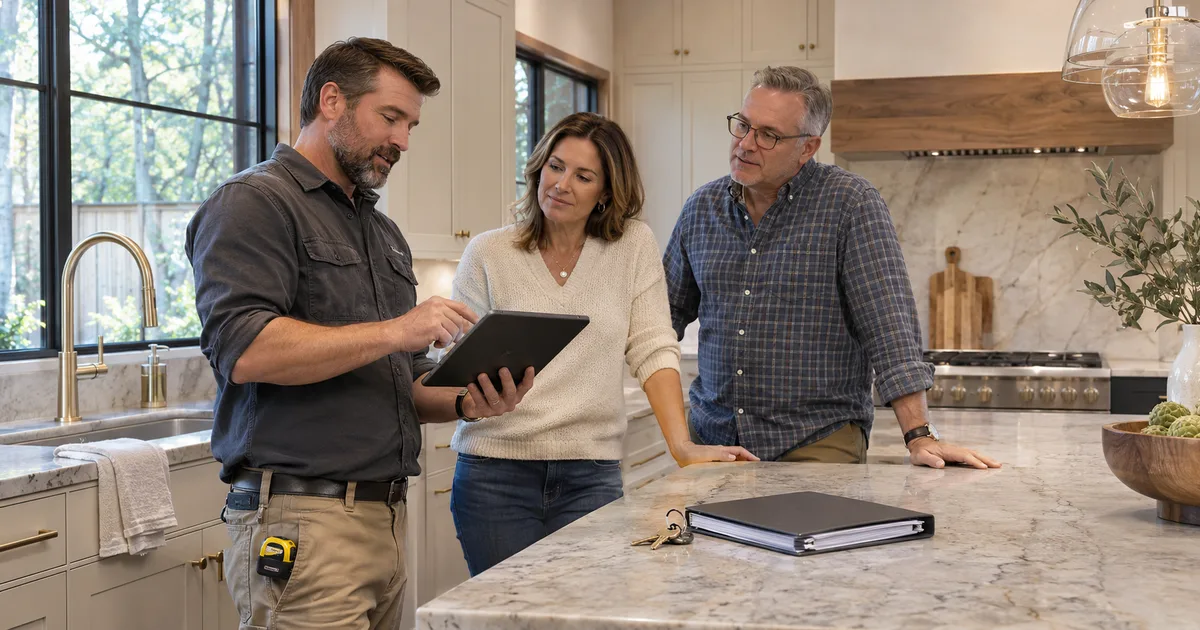
The remodeled kitchen looks finished. The dumpster is gone, the photographer has already been through, and the next project needs the crew. But one cabinet door still rubs, the electrician has not sent the final warranty, the inspection approval is in somebody's inbox, the homeowner is unsure when the workmanship warranty starts, and the office does not know whether the last invoice should go out.
That is the real problem behind searches for construction project closeout software, a construction closeout checklist, and contractor closeout software. The contractor is not looking for another folder. The contractor needs one dependable answer to a harder question: is the work complete, documented, accepted, handed over, billed, and ready to become a closed job?
THE SHORT ANSWER
Construction project closeout software keeps every remaining correction, required document, handoff date, and acceptance decision connected to the same job.
BuildVecta provides a job-specific closeout workspace. Contractors can record punch items with an assignee, trade, due date, status, and notes; track a practical turnover-document checklist; schedule the final walkthrough; record the warranty start and the person accepting the work; email a homeowner closeout update; open the job files; print the closeout package; and see whether the job is ready to close. BuildVecta organizes and communicates the process. The contractor still verifies the work, the documents, the payment status, and every contract or legal requirement.
A finished-looking project is not necessarily a closed project
Construction completion is not one moment. Physical work may be usable while corrections remain. A final inspection may pass while warranty documents are still missing. The homeowner may move in before the last billing and payment records are reconciled. A subcontractor may say its scope is complete while cleanup, closeout documents, or a final release remain outstanding.
| Stage | What it usually answers | What may still be open |
|---|---|---|
| Work appears complete | Can the owner see and use the finished result? | Punch corrections, testing, cleanup, inspections, documentation, billing |
| Substantial completion | Has the project reached the contract's usable-completion milestone? | Minor or corrective work, retainage, closeout submittals, final payment |
| Final completion | Has the required work and documentation been completed under the agreement? | Final payment processing, archive steps, later warranty service |
| Internal job closure | Has the company reconciled the project and preserved the record? | Warranty obligations and records that must be retained |
Those terms have contract-specific and sometimes legal meaning. Do not let a software status replace the signed agreement, an authority's approval, an architect's or owner's certification, or the company's accounting controls. The practical purpose of a closeout system is to make the open requirements visible before everyone demobilizes.
Start the closeout checklist before the job starts
The easiest time to collect a warranty is when the product and installer are being approved. The easiest time to define a lien-waiver requirement is when the subcontract or purchase is issued. The easiest time to decide what “complete” means is in the contract—not during a tense final walkthrough.
- Contract setup: identify the completion standard, acceptance process, payment conditions, warranties, deliverables, and notice requirements.
- Buyout and purchasing: tell each subcontractor and supplier which closeout items are required and when they are due.
- During construction: preserve approved changes, inspection records, product data, progress photos, redlines, and care information with the job.
- Before the final walk: create the punch list while the right trades are still available, schedule required inspections, and reconcile open changes.
- At handoff: verify corrections, deliver reviewed records, document the walkthrough, confirm the warranty start, and record acceptance using the required process.
- After handoff: complete billing and accounting checks, preserve the job archive, and route later issues into the warranty workflow instead of reopening the punch list informally.
BuildVecta keeps these records connected from active construction through closeout. The signed contract, approved changes, inspection results, project files, punch work, and homeowner handoff do not have to become separate end-of-job scavenger hunts.
How BuildVecta handles the final closeout workflow
Open closeout inside the job
The closeout workspace is attached to the active project, so the team is working from the same job name, homeowner contacts, files, and history.
Record every punch item
Describe the correction, identify the trade and assigned contractor, set the due date, choose a status, and add location or verification notes.
Track the turnover records
Use the document checklist to see which required records are ready, then open job files to store and review the actual documents.
Schedule the final walkthrough
Record the date, identify who accepted the work, and keep acceptance separate from a casual comment in a text thread.
Confirm the warranty start
Record the reviewed start date so the handoff and later service record are not based on memory.
Send and print the handoff
Email the homeowner a current summary, print the closeout package when useful, and retain the closeout record with the job.
The closeout score shows completed punch items, checked documents, and homeowner acceptance. It is a workflow indicator—not a legal certification. A 100% software score means the tracked items are marked complete; it does not independently prove that a permit is closed, a waiver is effective, an invoice is paid, or a contract obligation has been satisfied.
The punch list should end with verification, not “I think they got it”
A useful punch item is specific enough that the assigned person can find it, correct it, and show what changed. “Paint touch-up” is weak. “Repair the two-inch paint chip on the south side of the pantry casing, match the approved trim color, protect the floor, and upload the completion photo” is actionable.
BuildVecta lets the contractor move an item through Open, In progress, Ready to verify, and Complete. That distinction matters. A subcontractor's “done” message is not the same as contractor verification. For a larger or disputed correction, return to the site, compare the result with the scope and applicable standard, and preserve a photo or note in the project record.
What belongs in a residential construction closeout package?
There is no universal package for every U.S. project. A kitchen remodel, custom home, insurance restoration, commercial tenant improvement, and lender-funded build can have different contracts, authorities, professionals, and payment conditions. Build the checklist from the actual job.
| Closeout item | What to verify | Where BuildVecta helps |
|---|---|---|
| Final inspection approval | Correct permit, authority, result, date, and any remaining conditions | Track inspection status and store the reviewed record with the job |
| Certificate of occupancy or completion | Whether one is required and actually issued by the proper authority | Mark readiness and keep the issued copy in project files |
| Approved change orders | Every scope, price, and time change is resolved and included in the final record | Keep approved changes connected to the project and closeout review |
| Final lien waivers | Correct party, amount, payment condition, exceptions, signatures, timing, and jurisdiction-specific form | Track and store the reviewed documents; legal sufficiency remains the contractor's responsibility |
| Manufacturer warranties | Product, model, installer, coverage, exclusions, registration, and start date | Keep warranties with the job and handoff package |
| Workmanship warranty | Scope, duration, start, exclusions, notice method, and responsible company | Record the reviewed warranty start and preserve the document |
| Care and maintenance instructions | Information matches the products actually installed | Store and share the reviewed homeowner-facing files |
| Final photos and as-built plans | Records are current, labeled, useful, and appropriate to release | Keep project photos and files attached to the completed job |
BuildVecta's closeout checklist includes those eight categories. A checked box means the team says the item is ready. The evidence belongs in the construction document system, where the actual file can be reviewed, retained, and found later.
Permit closeout deserves its own confirmation
A passed trade inspection does not always mean the entire permit is closed. Authorities may require final inspections, corrections, special-inspection records, testing, administrative review, fees, or a certificate before the project record is complete. The specific sequence depends on the jurisdiction and project.
Use the permit-management workflow to keep applications, corrections, inspection results, approvals, and closeout records with the job. Then confirm the status with the issuing authority. BuildVecta does not issue a certificate of occupancy, certificate of completion, final approval, or government sign-off.
The final walkthrough needs one current list and a clear outcome
The final walkthrough is not a memory test. Bring the current scope, approved changes, selection record, inspection status, and punch list. Walk the project systematically. Record one agreed list of remaining items with locations, responsibility, and timing. Separate incomplete contract work from new requests that may require a change or a separate service agreement.
- Confirm which contract milestone the walkthrough is intended to document.
- Review each area and system against the current approved scope.
- Record specific corrections instead of relying on colored tape alone.
- Explain which records, keys, care instructions, and warranties are being delivered.
- Identify open items, their expected correction dates, and the verification method.
- Use the agreement's reviewed acceptance or sign-off process.
BuildVecta records the walkthrough date, accepted-by name, acceptance status, and warranty-start date in the closeout workspace. It can also send a concise homeowner summary showing open punch work and document progress. For ongoing visibility, the client portal can provide controlled access to appropriate project information without exposing internal bids, budgets, or private notes.
Do not let a closeout checkbox trigger the wrong final payment decision
Final billing, retainage, lien releases, owner acceptance, and closeout documents can be connected by the contract, but they are not interchangeable. A checked “final lien waivers” item does not prove the form is correct. A recorded acceptance does not prove funds cleared. A paid invoice does not prove every completion requirement was met.
Reconcile the original contract amount, approved changes, prior invoices, credits, payments, retainage, and final amount due. Confirm which conditions must be satisfied before billing or release. If BuildVecta's optional QuickBooks-connected billing is used, treat invoice creation, invoice delivery, payment, and accounting reconciliation as separate events. QuickBooks remains the accounting system of record for that workflow.
Lien-waiver rules and forms vary. AIA Contract Documents, for example, distinguishes conditional and unconditional releases and provides state-specific forms for some jurisdictions. Use the project's required form and legal review rather than downloading a generic document and assuming it applies.
A good handoff answers the homeowner's next five questions
| Homeowner question | Closeout answer |
|---|---|
| What is still open? | One current punch list with responsibility, status, and expected timing |
| What did I receive? | A reviewed list of warranties, care instructions, approvals, and relevant project records |
| When does the warranty start? | The date supported by the contract and reviewed closeout record |
| Who do I contact? | The company's defined warranty or service request path |
| What is due? | A reconciled final billing explanation that matches the approved contract record |
Clarity at handoff reduces the chance that every later question becomes an emergency text to the superintendent. It also gives the homeowner a better record of the project without promising that the software, contractor, or manufacturer covers something outside the written warranty.
Close the operational loop before archiving the job
Closeout is the last chance to turn one project's record into a better next estimate. Compare the approved scope with the work performed, review the schedule and major delays, reconcile changes, check estimated versus actual costs, note recurring punch issues, and record which selections, trades, products, or assumptions created avoidable friction.
Use the job-costing review to examine the completed job before the details fade. Then preserve the final contract, approved changes, invoices, payment records, inspection approvals, closeout documents, acceptance record, warranty terms, and relevant communication according to the company's retention policy. The final archive should be usable years later by someone who did not manage the job.
How to evaluate construction closeout software
Test the system with a real completed project, not a perfect sample job. Include an open correction, a missing warranty, a final inspection, a change order, a homeowner contact, a final billing question, and a document you may need to find later.
- Can the checklist be tied to the actual job and adapted to the contract?
- Can each punch item show location, trade, responsibility, due date, status, and verification notes?
- Does “ready to verify” remain separate from “complete”?
- Can the team open the actual document, not just check a box?
- Are walkthrough, acceptance, warranty start, and final payment treated as separate controls?
- Can the contractor send a clear homeowner update without exposing internal information?
- Can the final record be printed, exported, retained, and found after the project is inactive?
- Are permissions, mobile use, support, backup, deletion, and data-export behavior clear?
- Does the system connect with the existing construction management workflow instead of creating another end-of-job island?
What BuildVecta does not do
BuildVecta does not inspect the work, certify substantial or final completion, issue government approvals, create legally sufficient lien waivers, determine whether final payment is due, verify that funds cleared, or decide whether a customer's acceptance is enforceable. It does not replace the contractor, inspector, architect, engineer, attorney, accountant, lender, surety, or authority having jurisdiction.
It also does not guarantee faster payment, fewer disputes, better profit, favorable reviews, referrals, leads, jobs, revenue, or search rankings. It provides an organized closeout record and repeatable workflow. The result depends on accurate project information, appropriate documents, timely field verification, contract compliance, professional judgment, and responsible communication.
FREQUENTLY ASKED QUESTIONS
Questions builders and remodelers ask about project closeout
What is construction project closeout software?
Construction project closeout software organizes the work and records needed to finish and hand over a job. For a builder or remodeler, that commonly includes punch-list corrections, final inspections, required certificates, approved change orders, lien waivers when applicable, warranties, care instructions, final photos or as-built records, a walkthrough, customer acceptance, final billing, and a durable project archive. The contract and local requirements determine what a particular job needs.
What should be on a construction closeout checklist?
Start with the signed contract, project specifications, permit requirements, lender or owner requirements, and company policy. A practical residential checklist may cover punch completion, final inspection approval, certificate of occupancy or completion when required, approved changes, final lien waivers when applicable, manufacturer and workmanship warranties, care instructions, final photos or as-built plans, customer walkthrough, acceptance, final billing, payment status, keys or access items, and archive retention.
When should a contractor start project closeout?
Start planning at contract setup, not after the last day of work. Define completion and acceptance, list required turnover documents, assign each item, and collect records as the work proceeds. Near substantial completion, schedule the final inspections and walkthrough, verify punch work, reconcile approved changes and billing, then complete the handoff and archive.
How does BuildVecta handle construction closeout?
BuildVecta gives each job a closeout workspace with a progress score, punch items, document checklist, final walkthrough date, warranty-start date, accepted-by field, homeowner-acceptance status, homeowner update email, job-file access, and a printable closeout package. Punch items can include the correction, trade, assigned contractor, due date, status, and notes. The contractor reviews and confirms every item.
Does BuildVecta create lien waivers or certificates of occupancy?
No. BuildVecta can help track whether required records are ready and keep uploaded copies with the job, but it does not issue government approvals, create legally sufficient lien waivers, certify completion, or decide whether a document satisfies the contract or local law. Use the appropriate authority, reviewed forms, and professional advice for the project.
Is a punch list the same as project closeout?
No. A punch list tracks incomplete or corrective physical work. Project closeout is broader: it may include punch verification, inspections, permits, warranties, final documents, customer acceptance, final billing and payment status, turnover, and archiving. A job can have a completed punch list and still have open closeout requirements.
Can BuildVecta email a closeout update to the homeowner?
Yes. When a homeowner email is available for the job and the contractor has a connected sending workflow, BuildVecta can prepare a closeout summary with the walkthrough date, open punch items, document progress, and warranty-start information. The contractor remains responsible for reviewing the recipients, content, contract notices, and official approval process.
How much does BuildVecta cost?
BuildVecta Core is $39 per month plus applicable tax after a three-day free trial. The trial includes one takeoff. Optional add-ons, marketing upgrades, advertising spend, payment processing, QuickBooks or other third-party fees, permit fees, and physical gifts are separate.
Research and practical source notes
Closeout requirements depend on the signed agreement, project type, jurisdiction, authority, lender, insurer, surety, and professional team. BuildVecta product details reflect the supported workflow available on the publication date. Useful primary references include:
- AIA Best Practices — project closeout risk-management checklist
- AIA Contract Documents — considerations for construction statements and lien-waiver forms
- AIA Contract Documents — conditional waiver and release on final payment
- New York City Department of Buildings — project completion, sign-offs, and certificates
- City of Pittsburgh — permit completion, final inspection, and closeout records
CLOSE ONE REAL JOB WITHOUT THE END-OF-PROJECT SCRAMBLE